Show summary Hide summary
- What the new Apple Digital ID feature does
- How Apple keeps passport data private and secure
- Where and when you can use a passport in Apple Wallet
- How to add your passport to Apple Wallet
- Benefits for travelers and border control
- Questions about reliability and backup options
- Responses from privacy advocates and regulators
- What this means for the future of digital identity
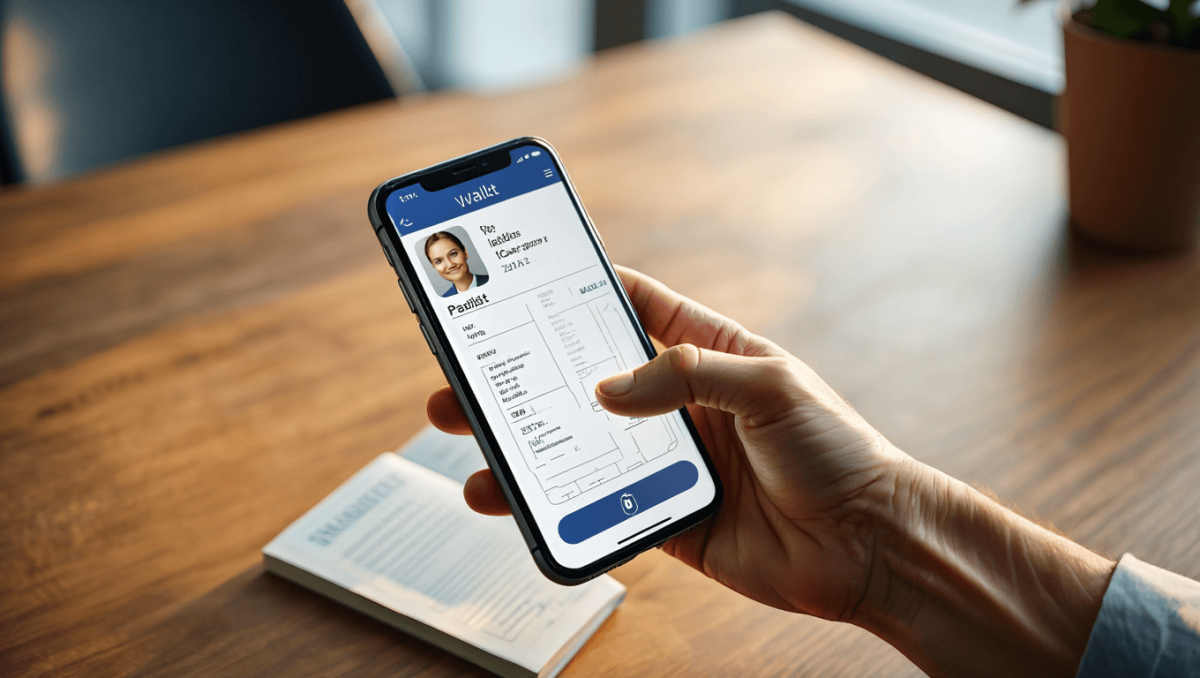
Apple has unveiled a new way to carry your passport on your iPhone, introducing a Digital ID feature designed to store government-issued travel documents securely. The company says the update allows users to add their passport to Apple Wallet, simplifying identity checks while keeping privacy and security central to the experience.
What the new Apple Digital ID feature does
The feature lets users digitize their passport and present it from their iPhone or Apple Watch at participating checkpoints. Instead of pulling out a physical document, travelers will be able to show their passport via the Wallet app for identity verification.
U.S. embassies warn: 5 new travel alerts after demonstrations spread
Arkansas’ Darius Acuff Jr. earns rare Kyrie Irving comp from Bill Simmons
- Passport storage: Scans or verified digital copies are stored within Apple Wallet.
- Presentation: Documents can be shown to authorities without revealing extra personal data.
- Device compatibility: Works on recent iPhone and Apple Watch models that support the latest OS.
How Apple keeps passport data private and secure
Apple emphasizes that privacy is a bedrock of the new feature. The company uses device-level encryption and secure hardware to protect stored IDs. Authentication is required every time a passport is accessed for sharing.
- Biometric checks such as Face ID or Touch ID are mandatory to view or share an ID.
- Data is encrypted on the device and not uploaded to Apple’s servers.
- When sharing, only the necessary information is transmitted to the verifier.
Technical safeguards explained
Apple deploys a secure enclave to hold keys and cryptographic material. Communication with checkpoints uses encrypted channels. The company also limits what verifiers can request.
Where and when you can use a passport in Apple Wallet
The rollout will be phased and tied to agreements with governments and border agencies. Initial pilots focus on select airports and countries that partner with Apple.
- Pilot locations: Major international airports and partner customs agencies.
- Expansion plans: Gradual global availability depending on regulatory approvals.
- User requirements: Users must update to the latest OS and meet device specifications.
How to add your passport to Apple Wallet
Apple provides an in-app setup that verifies identity with participating authorities. The flow typically combines a document scan with a live face verification step.
- Open the Wallet app and select Add ID.
- Scan your passport or upload a verified digital copy.
- Complete a face verification or follow the government-authorized steps.
Once verified, the passport appears in Wallet and can be quickly presented when needed.
Benefits for travelers and border control
Digitizing passports aims to speed up identity checks and reduce document handling. Agencies can authenticate travelers faster while maintaining security standards.
- Faster processing at checkpoints.
- Reduced contact and paper handling.
- Clear audit trails for verifications.
Questions about reliability and backup options
Apple recommends keeping a physical passport as a backup. Electronic systems can encounter connectivity or verification issues.
- Physical documents remain legally required in many jurisdictions.
- Apple suggests travelers carry backup ID for contingencies.
- Local rules will dictate whether a digital passport suffices on its own.
Responses from privacy advocates and regulators
Privacy groups have welcomed the strong encryption but urge transparency on data flows. Regulators will assess cross-border use and compliance with local identity laws.
- Advocates call for clear limits on data retention and access.
- Officials will test interoperability with existing border systems.
- Legal frameworks may need updates to recognize digital-only presentation.
What this means for the future of digital identity
Apple’s Digital ID signals another step toward mobile-first identity management. If widely adopted, passports in Wallet could reshape airport operations and everyday ID checks.
- Potential expansion to other documents, like national IDs and driver licenses.
- Growing demand for standards that ensure global interoperability.
- Opportunities for secure, privacy-preserving identity verification in commerce and travel.