Show summary Hide summary
- What Allegiant is allowing: fee waiver details and scope
- Why security lines are worsening: the TSA staffing crunch
- How passengers are affected and who benefits most
- Step-by-step: how to request a waiver or rebook
- How other airlines and agencies are responding
- Practical tips to avoid missed flights amid long lines
- What to watch for: timing, documentation, and policy updates
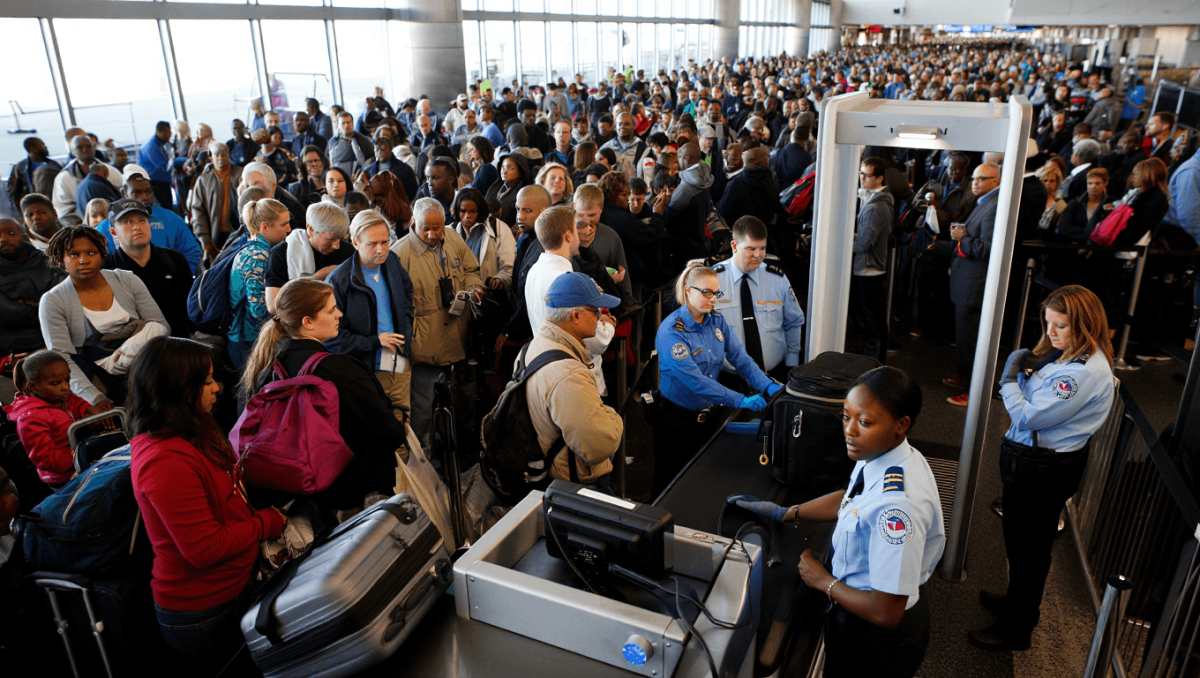
Allegiant Air is temporarily dropping fees for ticket changes and cancellations as federal staffing issues stretch airport security lines and disrupt travel plans. The move aims to ease the burden on passengers facing delays tied to the ongoing government shutdown. Travelers should know what the waiver covers, how to claim it, and what to expect at checkpoints now.
What Allegiant is allowing: fee waiver details and scope
Allegiant has suspended change and cancellation fees for tickets impacted by the disruption of federal services. The waiver applies through the end of the government shutdown, giving passengers more flexibility when schedules are uncertain.
Sophia Laforteza of Katseye announces hiatus: comes months after Manon Bannerman’s exit
Delta to return to Tokyo Narita hub in 2027: 7-year comeback
- Eligible travelers can modify or cancel reservations without a standard fee.
- Fare differences may still apply when rebooking at higher prices.
- The airline sets the effective dates and may require documentation for some changes.
Why security lines are worsening: the TSA staffing crunch
Security checkpoints are the visible symptom of a deeper staffing shortage. When federal workers are furloughed or delayed by a shutdown, the Transportation Security Administration can struggle to keep lanes fully staffed.
- Fewer agents mean longer queue times at key hubs.
- Peak hours see the biggest backlogs, sometimes stretching outside terminals.
- Screening delays can cascade, affecting boarding and connection windows.
How passengers are affected and who benefits most
Not every traveler is impacted equally. Business flyers with tight connections and families with young children face higher risk of missed flights. Passengers with flexible itineraries gain the most from the waiver.
- Those with same-day connections should allow extra time at the airport.
- People on nonrefundable fares should check refund and rebooking rules.
- Frequent flyers may still use elite benefits for faster screening where available.
Step-by-step: how to request a waiver or rebook
Allegiant has set procedures to make the process smoother. Follow these steps to secure the waiver or change your ticket.
- Visit Allegiant’s website or open the mobile app to view your reservation.
- Select the option to change or cancel the flight.
- If prompted, choose the waiver or special circumstances option.
- Contact customer service by phone or chat if the online tool does not present the waiver.
- Keep documentation of delays or long security lines if requested for verification.
How other airlines and agencies are responding
Some carriers have adopted similar leniency, while others urge customers to monitor flights closely. Airports and the TSA are also publishing staffing updates and wait-time estimates.
- Major carriers may offer limited flexibility depending on route and fare class.
- Local airports provide live wait-time feeds and real-time alerts.
- The TSA updates its checkpoint wait times and staffing notices online.
Practical tips to avoid missed flights amid long lines
Smart planning reduces stress when checkpoints are slow. Small changes can help passengers reach gates on time.
- Arrive extra early—budget at least an additional 30–60 minutes.
- Check checkpoint wait times before leaving for the airport.
- Use mobile boarding passes and have ID ready for faster processing.
- Pack carry-on items to speed through security trays.
- Consider off-peak travel times to shorten queues.
What to watch for: timing, documentation, and policy updates
Policies tied to the shutdown are subject to change. Keep an eye on airline notices and federal updates. Airlines may adjust waiver terms as conditions evolve.
- Confirm the waiver’s end date when you change or cancel a booking.
- Save emails or screenshots of any on-screen waiver confirmations.
- Monitor local airport advisories for sudden lane closures or staffing changes.